
 Haris
Haris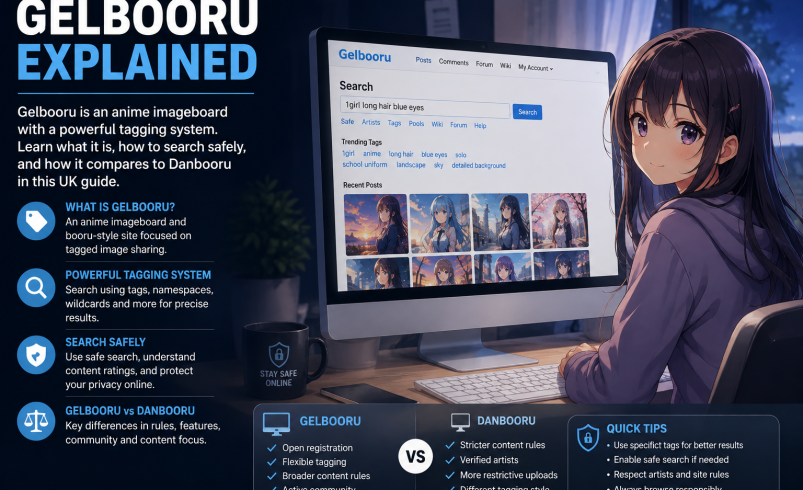
You’ve seen the name pop up in forum discussions or heard it mentioned in anime communities, and you’re wondering what Gelbooru actually is. Gelbooru is an online imageboard designed for archiving and sharing anime-style artwork, similar to other “booru”-type sites. It uses a detailed tagging system that lets you search for specific types of images with remarkable precision.
This guide covers what Gelbooru is, how its tagging system works, how to browse safely, and how it compares to similar platforms like Danbooru. Whether you’re curious about the site or looking for practical tips on using it, you’ll find what you need to know here.
What Is Gelbooru?
Gelbooru is a user-generated content platform where people share and browse anime, manga, video game, and hentai images. It operates as a community-driven imageboard, meaning users upload content and apply tags to make it searchable.
The site was launched in 2007 and has grown into one of the more well-known booru-style platforms. The name comes from “Geltas”, the lead programmer, with “Gel” being the first three letters of that username. It is not a Japanese pun like Danbooru (which means “cardboard” in Japanese).
Gelbooru hosts a wide range of content, including both safe artwork and explicit material. This mix means viewer discretion is important, and the site is recommended only for adults.
How the Gelbooru Tagging System Works
The tagging system is what makes Gelbooru powerful. Every image on the site is labelled with tags that describe its content, and you can search using these tags to find exactly what you’re looking for.
Tag Types and Colours
When you view a tag list on Gelbooru, you’ll see different colours. Each colour represents a different type of tag:
- Brown – artist tags (who created the artwork)
- Green – character tags (which character is depicted)
- Blue – property tags (what the image contains or represents)
You can also prefix a tag with artist: to tell Gelbooru that a tag is an artist tag.
Rating Tags
Gelbooru uses rating tags to indicate content suitability. The main ratings are:
- Safe – content suitable for all ages
- Questionable – mildly suggestive content
- Explicit – adult content
More recently, Gelbooru has also used ratings like General and Sensitive.
How to Search on Gelbooru
Searching on Gelbooru is straightforward once you understand the tag system.
Basic Search
Enter tags into the search bar. Multiple tags are combined with a logical AND, meaning the results will show images that have all the tags you’ve entered.
Using Rating Filters
To filter out adult content, you can add rating:safe to your search. This returns only images with a safe rating.
If you have a Gelbooru account, you can also enable a setting that automatically blacks out anything that isn’t rated safe.
Search Tips
- Separate tags with spaces or commas
- Use a minus sign to exclude tags (for example, -rating:explicit)
- You can search by score, resolution, uploader, and more
One advantage Gelbooru has over Danbooru is that you do not need an account to search for more than two tags at a time.
How to Upload Images to Gelbooru
Uploading images to Gelbooru requires an account. Once you’re signed in, you can upload images through the upload page. You’ll need to add tags to your uploads so other users can find them.
There are browser extensions available that make uploading easier. The “Improved Gelbooru upload” extension lets you:
- Drag and drop images from other webpages
- Automatically fill in the source URL when uploading from sites like Pixiv
- Check if an image has already been uploaded
Gelbooru Accounts and API Access
You can browse Gelbooru without an account, but creating one gives you extra features. With an account, you can:
- Favourite posts
- Upload images
- Adjust your content filters
- Access the API
The Gelbooru API allows developers to search posts, look up tags, and retrieve image data programmatically. To use the API, you need to generate an API key from your account options page.
Note that the API may require authentication to prevent abuse, and there are rate limits in place.
Is Gelbooru Safe to Use?
The answer depends on how you use it. Gelbooru itself is not malicious – security scans show no malware or phishing detections on the domain. However, the content on the site includes explicit material.
Content Warnings
Gelbooru contains images that are not suitable for children or for viewing in public settings. The site has been described as a “porn site – NOT for children”.
Browsing Safely
If you want to avoid adult content:
- Use rating:safe in your searches
- Create an account and enable the safe filter in your settings
- Use an ad blocker – some users report intrusive ads on the site
Moderation Concerns
Some users have raised concerns about moderation on Gelbooru. The site has been criticised for allowing lower-quality content and for having weaker moderation compared to Danbooru. There have also been reports of illegal content, though these are not independently verified.
Gelbooru vs Danbooru: What’s the Difference?
Gelbooru and Danbooru are the two most well-known booru-style imageboards, but they have some key differences.
| Aspect | Gelbooru | Danbooru |
| Technology | Written in PHP | Written in Ruby |
| Content standards | Less strict, allows more varied content | More refined, higher quality standards |
| Tag search limits | No account needed for multiple tags | Premium account required for more than two tags |
| Content sourcing | Crawls Danbooru for images and tags | Original content and user uploads |
| Moderation | Weaker moderation | Stronger moderation |
| Anonymous posting | Allowed | Not allowed |
Danbooru is often seen as the more refined platform, while Gelbooru offers more freedom and fewer restrictions.
Frequently Asked Questions
Q: What does Gelbooru mean?
The name comes from “Geltas”, the lead programmer. “Gel” is the first three letters of that username. It is not a Japanese pun.
Q: Do I need an account to use Gelbooru?
No. You can browse and search without an account. However, you need an account to upload images, favourite posts, and access the API.
Q: How do I search for safe images on Gelbooru?
Add rating:safe to your search query. You can also create an account and enable the safe filter in your settings.
Q: Is Gelbooru better than Danbooru?
It depends on what you’re looking for. Gelbooru has fewer restrictions and allows anonymous posting. Danbooru has stricter quality standards and stronger moderation.
Q: Can I upload images to Gelbooru?
Yes, but you need an account. You can upload images through the upload page and add tags to make them searchable.
Q: Is Gelbooru safe from viruses?
Security scans show no malware or phishing on the domain. However, the content itself includes explicit material, so viewer discretion is advised.
Q: Why does Gelbooru have so many ads?
Gelbooru uses ads to cover server costs. Some users find the ads intrusive and recommend using an ad blocker.
Q: Does Gelbooru have an API?
Yes. The Gelbooru API allows developers to search posts, look up tags, and retrieve image data. You need an API key from your account settings.
Q: How do I get a Gelbooru API key?
Create an account on Gelbooru, then visit your account options page to generate or view your API credentials.
Q: What are the rating tags on Gelbooru?
The main ratings are Safe, Questionable, and Explicit. More recently, General and Sensitive have also been used.