 Haris
Haris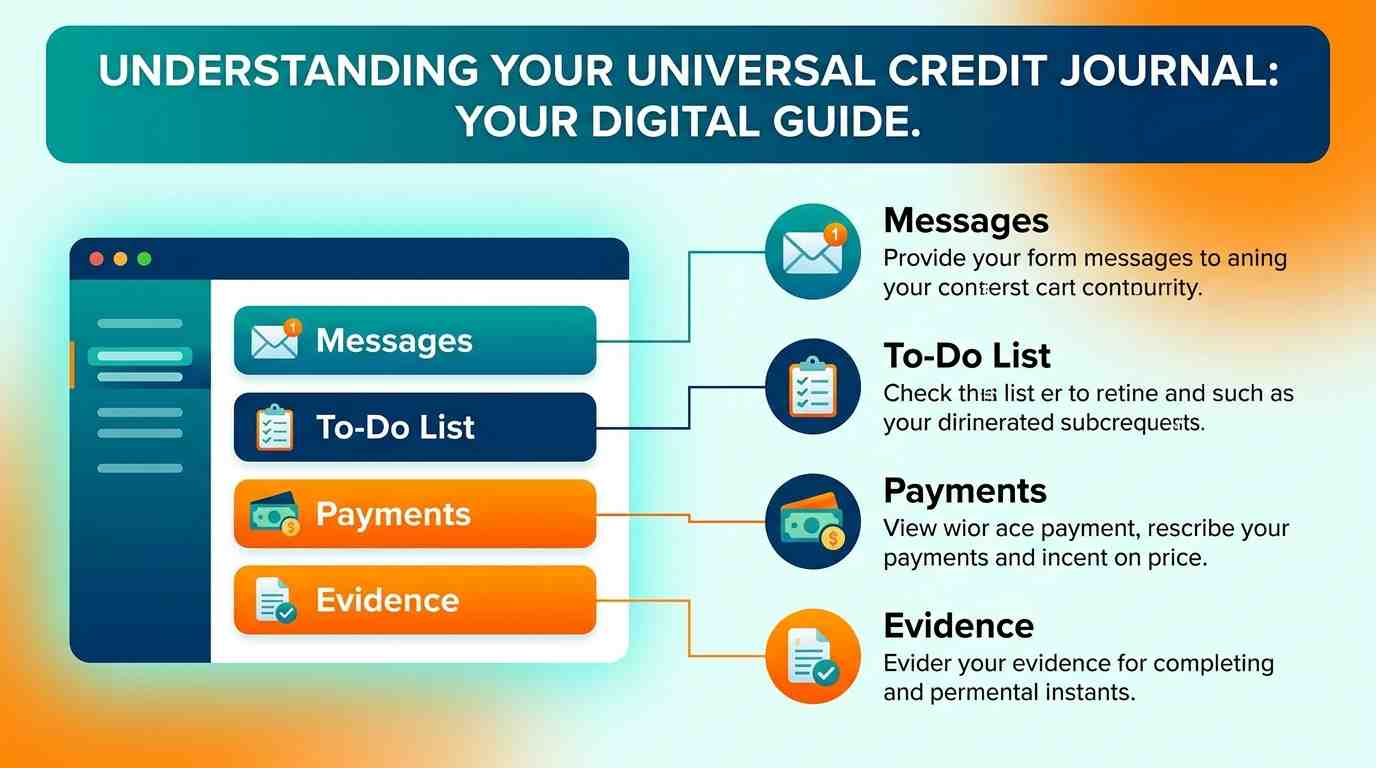
What is the Universal Credit journal?
If you’ve searched for universal credit journal because you don’t know what to write, where to find messages or how quickly DWP will reply, the journal is the online communication and record system inside your Universal Credit account. You can use it to contact your work coach or case manager, report information, ask questions and keep a record of what you’ve told DWP.
The journal works alongside your to-do list, payment information and claimant commitment. DWP can use your online account to send messages, request information and tell you about actions you need to complete. You should check it regularly because missing a request can delay or affect your claim.
This guide explains how the journal works, what to write for common situations, what it costs, how long replies can take, how to deal with missing payments or decisions, and the mistakes that can cause problems.
How the Universal Credit journal works
The journal sits inside your online Universal Credit account. Once you sign in, you can use it to send messages to the DWP staff dealing with your claim and review the record of communication connected with your claim.
Your account has several different areas, and using the right one matters. A to-do is an action DWP expects you to complete, while the journal is mainly used for communication and keeping a record. Your payment section shows information about your award and payment dates.
What can you use the journal for?
You can use the journal for many routine parts of your claim, including:
- Asking your work coach about appointments or work-related requirements.
- Reporting information connected with your claim.
- Asking about a payment or payment statement.
- Providing information requested by DWP.
- Recording what was agreed during a phone call.
- Asking questions about your claim.
- Requesting a decision to be looked at again when the rules allow it.
- Giving information about changes in your circumstances.
The journal can also be used to tell DWP what you’re doing to find work, such as job applications, interviews and training. Your journal provides a record of what you’ve done for Universal Credit.
Journal, to-do list and payments are different
It’s easy to treat every part of the account as the same thing, but they serve different purposes.
| Account section | Main purpose | What you should do |
| Journal | Messages and communication with DWP | Read replies and send relevant information |
| To-do list | Tasks DWP wants you to complete | Complete each task by the stated deadline |
| Payments | Payment dates and award information | Check amounts and dates |
| Claimant commitment | Your agreed work-related responsibilities | Follow the requirements that apply to you |
Your to-do list is part of your online account and should be checked regularly. Failing to complete something required by your account can delay or stop a payment.
How to sign in to your Universal Credit journal
You access the journal through your Universal Credit online account rather than through a separate journal app. GOV.UK’s sign-in service lets you check your journal, to-do list, claimant commitment, statement and next payment information.
You’ll need the username and password you created when you applied. If you’ve forgotten your details, use the account recovery options from the sign-in page.
For account problems, contact the Universal Credit helpline on 0800 328 5644, Monday to Friday, 8am to 6pm. Relay UK is available on 18001 followed by 0800 328 5644. The Welsh-language number is 0800 328 1744. Northern Ireland has a separate Universal Credit Service Centre.
What should you write in a Universal Credit journal?
A good journal message is short, factual and specific. State what happened, give the relevant date, explain what you need from DWP and include any information that helps the person dealing with your claim understand the issue.
A useful structure is:
- What happened: give the relevant event or problem.
- When it happened: include the date if you know it.
- What you’ve already done: mention calls, appointments or documents already provided.
- What you need: ask a clear question or request.
- Supporting information: mention evidence you’ve uploaded or can provide.
For example, if your payment hasn’t arrived, don’t simply write “Where is my money?” Explain the expected payment date, the amount shown in your account and what you want DWP to check.
What not to put in your journal
Don’t use the journal to send information that could put you at risk of fraud. Don’t include bank details or National Insurance numbers in journal messages.
You should also avoid abusive language, repeated messages, unrelated personal information and vague statements that don’t explain what you need.
Keep sensitive information to the minimum needed to deal with your claim. If DWP asks for specific evidence, follow the instructions in your account rather than posting unnecessary personal details into a message.
What to write about common Universal Credit problems
Different problems need different messages. A clear message can make it easier for the person handling your claim to understand what needs checking.
If your Universal Credit payment is missing
Start with the payment date and what your account says. Explain that the expected payment hasn’t arrived and ask DWP to check the payment status.
You could write:
My Universal Credit payment was due on [date], but I haven’t received it. My account shows [relevant information]. Please could you check whether there is an issue with the payment and let me know what I need to do?
Universal Credit is normally paid once a month, and the payment is usually made seven days after the end of the monthly assessment period.
If the problem is urgent and you can’t afford essential costs, don’t rely only on a journal message. You can contact the Universal Credit helpline on 0800 328 5644.
If your circumstances have changed
Tell DWP when something changes that could affect your Universal Credit. Changes can include your work, earnings, housing, family circumstances, health or savings.
Give the date the change happened and explain what changed. If you’ve already reported it through the correct part of your account, you can use the journal to clarify the information or provide further details.
Don’t wait until your next appointment if your circumstances have already changed. You should update your account when your circumstances change so DWP can assess your payment correctly.
If you’ve missed an appointment
Tell your work coach as soon as possible. Explain why you missed the appointment and give any evidence that supports your explanation.
A useful message should say when the appointment was, why you couldn’t attend, whether you tried to contact anyone and what you want to happen next.
Don’t assume that explaining the reason automatically cancels any consequences. DWP will decide what action applies to your claim.
If you’re asked for evidence
Read the request carefully and provide the evidence through the method DWP specifies. Your journal can be used to communicate with DWP and, in relevant situations, to provide or upload evidence.
If you can’t provide something by the requested date, explain the problem promptly rather than ignoring the request. Say what you can provide, why there’s a delay and when you expect to have the document.
How long does a Universal Credit journal reply take?
A journal isn’t an instant messaging service. It can take a few days for your case manager or work coach to reply, and journal replies are sent during usual opening hours.
That means you shouldn’t treat a lack of an immediate reply as proof that DWP has ignored your message. Check your account again and look for a text or email notification when your journal or to-do list has been updated.
For something urgent, particularly a problem involving immediate financial hardship, use the appropriate telephone contact as well as your journal. The Universal Credit helpline is available Monday to Friday, 8am to 6pm.
Does it cost anything to use the Universal Credit journal?
There is no charge to use the Universal Credit journal itself. It’s part of the online Universal Credit account provided for managing your claim.
You also don’t need to pay a private company to send a normal journal message or report routine information. If someone offers to “speed up” your Universal Credit payment for a fee, treat the offer with suspicion.
The official Universal Credit helpline is also free to call.
Be careful with Universal Credit scams
DWP won’t text or email you asking for personal information or bank details. If you receive a suspicious message, don’t provide passwords, bank details, National Insurance numbers or security codes.
Use your own browser to access GOV.UK rather than following an unexpected link in a text or email. Check the sender and the web address before entering your login details.
What happens after you send a journal message?
Your message goes into the communication system used by the staff handling your claim. Depending on the subject, it may be relevant to your work coach or case manager.
A reply may answer your question, ask for more information, tell you to complete a task or explain what happens next. Read the whole response and check your to-do list as well, because an action may appear there rather than only in the journal.
If you speak to DWP by phone, consider recording the date, time and main points of the conversation. You can also confirm important phone discussions in your journal so you have a written record.
Can you use the journal to challenge a Universal Credit decision?
Yes. If you disagree with a Universal Credit decision, you can normally ask DWP to look at it again through a mandatory reconsideration request. People with access to a Universal Credit account can use their journal for this.
You normally need to request mandatory reconsideration within one month of the date on the decision letter. If you’re late, you can still ask in some circumstances, but you’ll need to explain why the request is late.
Your message should identify the decision, explain what you think is wrong and give the reasons and evidence that support your position. Keep copies of important documents and the response you receive.
What if you receive an overpayment decision?
If DWP says you’ve been overpaid, check the calculation and the dates involved. Tell the office dealing with your benefit promptly if you think you’ve been overpaid or your circumstances have changed.
If you believe the decision is wrong, you may be able to ask for mandatory reconsideration. Your Universal Credit account and journal can be useful when checking what information you previously supplied.
You can also ask for full written reasons if you find an overpayment decision difficult to understand.
What if DWP asks you to take part in a claim review?
A Universal Credit review doesn’t automatically mean you’ve done anything wrong. DWP may contact selected claimants through their journal and ask them for documents and a telephone interview.
Requested documents can include information about savings, earnings, housing, childcare or caring responsibilities. If you’re selected, read the request carefully and respond within the stated timeframe.
Ignoring a review request can cause serious problems. Your Universal Credit payments could be stopped if you don’t provide requested information or miss the required interview.
What if you can’t access your journal?
If you can’t sign in, use the account recovery options on GOV.UK first. If the problem continues, contact Universal Credit rather than waiting for the issue to resolve itself.
The official Universal Credit helpline is +44 800 328 5644, available Monday to Friday from 8am to 6pm. Relay UK users can call 18001 followed by 0800 328 5644.
If your claim has closed and you need information from an old journal, the position can be different. A Subject Access Request may be used to request information from a Universal Credit journal when the journal is no longer accessible.
Don’t create a new claim simply because you can’t sign in to the old one without first checking what DWP expects you to do. A new claim can have different consequences for your circumstances and entitlement.
What if you’re waiting for your first Universal Credit payment?
Your first Universal Credit payment usually arrives around five weeks after you make your claim. Universal Credit is normally paid monthly, with your assessment period determining how the amount is calculated.
If you can’t cover essential costs while waiting, you can apply for an advance. The maximum advance on a first payment is the amount of your estimated first payment, and an advance has to be repaid from future Universal Credit payments.
You can apply for the advance through your online account, including by updating your journal, or by contacting your work coach or Universal Credit.
Universal Credit journal mistakes to avoid
Small communication mistakes can make a claim harder to manage. A journal message should help DWP understand the issue, not make them search through several unrelated messages to work out what you need.
Avoid these common problems:
- Sending several messages about the same issue: Put the relevant information into one clear message where possible.
- Leaving out dates: Give the date of an appointment, payment, change or previous contact when it matters.
- Writing only “urgent”: Explain why the issue is urgent and what action you need.
- Posting sensitive information: Don’t include bank details or National Insurance numbers in journal messages.
- Ignoring the to-do list: A journal message doesn’t necessarily replace a separate task that DWP has asked you to complete.
- Assuming messages are instant: DWP says journal replies can take a few days.
- Failing to keep records: Save important messages and note key telephone conversations.
- Missing review requests: Respond when DWP asks for evidence or an interview.
- Waiting too long to report changes: Changes in work, earnings, housing, family circumstances, health or money can affect your award.
A short, well-structured message is usually more useful than a long explanation containing unrelated details.
How to write a strong Universal Credit journal message
A practical message can follow this format:
Subject or category: Payments
Message:
“My Universal Credit payment was due on [date] but hasn’t arrived. My online account shows the expected payment as £[amount]. I haven’t received the money in my bank account. Please could you check whether there is an issue with the payment and tell me what I need to do next?”
For a change of circumstances, give the date and explain exactly what changed. For an appointment problem, explain the reason you couldn’t attend and ask what you need to do now.
Don’t copy a template word for word if it doesn’t accurately describe your situation. DWP needs the facts of your claim, not a generic message.
FAQ
Q: How do I access my Universal Credit journal?
You access it by signing in to your Universal Credit online account through GOV.UK. Your account also contains your to-do list, payment information and claimant commitment. If you’ve forgotten your login details, use the account recovery options provided on the official sign-in page.
Q: How long does it take for Universal Credit to reply to a journal message?
DWP says it might take a few days for your case manager or work coach to reply. Journal replies are sent during usual opening hours, so it isn’t an instant messaging service. Check your account regularly for new messages and to-do items.
Q: Can I message my work coach through the Universal Credit journal?
Yes. The journal can be used to contact your work coach or case manager. Work coaches deal with work-related support and requirements, while case managers help maintain your claim. The appropriate person can depend on the subject of your message.
Q: Can I report a change of circumstances in my Universal Credit journal?
You can use your Universal Credit account to report changes, with the journal also available for communication about your claim. Changes can include work, earnings, housing, family circumstances, health and savings. Report relevant changes promptly so DWP can assess your payment correctly.
Q: Can I use my Universal Credit journal to ask for mandatory reconsideration?
Yes, if you have a Universal Credit account and the decision concerns Universal Credit. You normally need to request mandatory reconsideration within one month of the decision date and explain why you think the decision is wrong.
Q: Does it cost money to use the Universal Credit journal?
No. The journal is part of your online Universal Credit account and there’s no charge to use it. You also don’t need to pay a private service to send ordinary journal messages or manage routine claim communication.
Q: What should I do if I can’t log into my Universal Credit account?
Try the official account recovery options first. If you still can’t access your account, contact Universal Credit on 0800 328 5644, Monday to Friday, 8am to 6pm. Relay UK is available on 18001 followed by 0800 328 5644.
Q: Can I use my journal to apply for a Universal Credit advance?
Yes. You can apply for an advance on your first payment by updating your Universal Credit journal, speaking to a work coach or contacting Universal Credit. The advance can be up to your estimated first payment and must be repaid.
Q: Should I put my National Insurance number in my Universal Credit journal?
No. Don’t include your National Insurance number or bank details in journal messages. Keeping sensitive information out of ordinary journal messages can reduce the risk of fraud.